Adding a Contribution Itemization
Contribution Itemizations are primarily utilized for Federal Campaigns and Political Action Committees (PACs) as a method to provide additional details for the Federal Election Commission (FEC) report. Other states may require the same itemizations which depends on your report.
Conduit PAC Itemization - ActBlue, DemocracyEngine
Our ActBlue integration will automatically create a Memo entry on your FEC report when the report is generated. If the Contribution shows a IsActBlue as True, then this transaction came through the integration and a memo entry will be added.
Imported Conduit Contributions
Contributions can be itemized during the import process. The Import system provides an easy way to add a Single Itemized record to a transaction during the import.

Conduit Contributions Already Imported
The Import system provides a way to mass update Contribution, this includes creating a Itemization record. You will need to gather the contributions by their Contribution ID, and import that ID and the Itemization details in another import. The Contribution ID can be found in the Contribution Report in the "Reports" section of Campaign Deputy.
Donor Reattribution and Redesignation
One of the most frequently encountered scenarios in this context is known as Reattribution and Redesignation. This occurs when a donor contributes an amount that exceeds the maximum limit set for an election, or when a couple gives in a single check or online contribution. In such cases, the excess contribution is adjusted using an Itemization. It is advisable to consult the FEC for specific guidance on the procedures involved in this process. Each itemized contribution will be documented in the report, clearly linked to its corresponding parent contribution for transparency and accuracy.
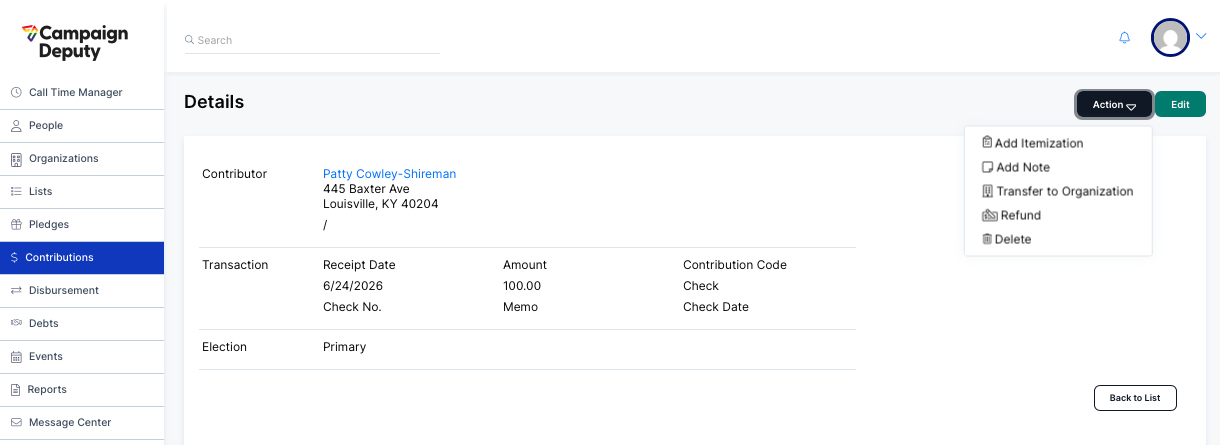
In order to itemize a Contribution in Campaign Deputy, simply navigate to the Contributions area, select the Action button > 'Add itemization'.