Ask to Give/Raise Report
Edited
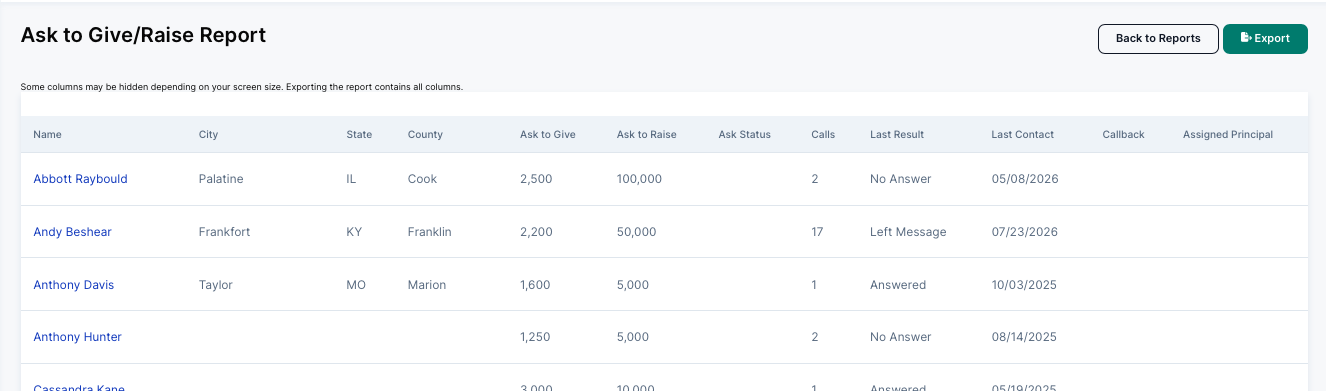
The Ask to Give/Raise Report is your central view of fundraising ask activity. It shows every person in your database who has an "Ask to Give" or "Ask to Raise" amount set, along with their call history and current ask status. This report is designed to work hand-in-hand with the Call Time Manager — it shows you who has been called, how many times, what the outcome was, and when they were last contacted.
To access it, navigate to Reports in the left sidebar, then click Ask to Raise/Give Report under the Fundraising Reports tab.