Creating and Adding to Lists
There are multiple ways to add your Contacts and Donors to lists in Campaign Deputy:
Mass additions via Imports
Manual additions via the List page
Manual additions via the Person Profile
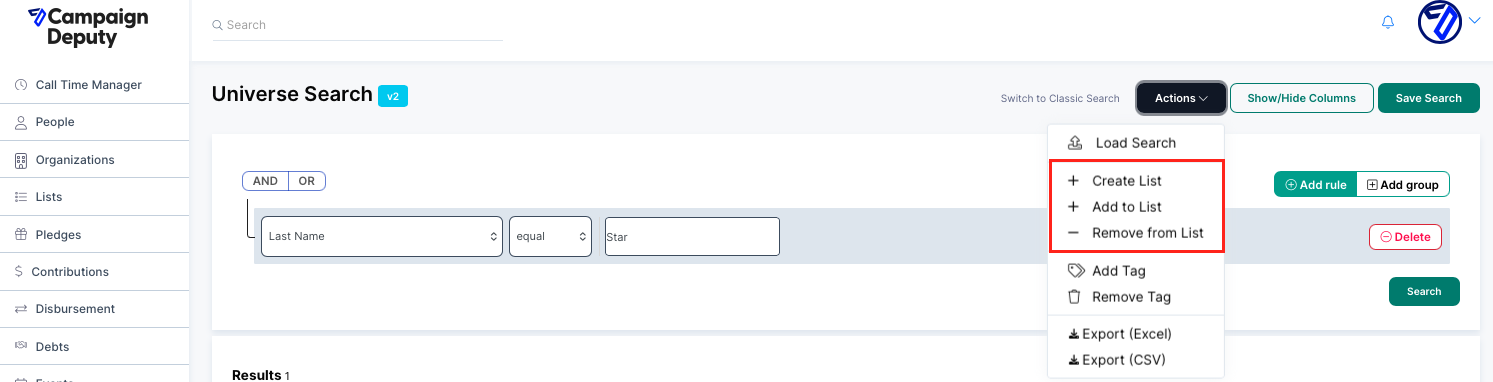
Mass additions via the Universe Search (recommended)
Imports
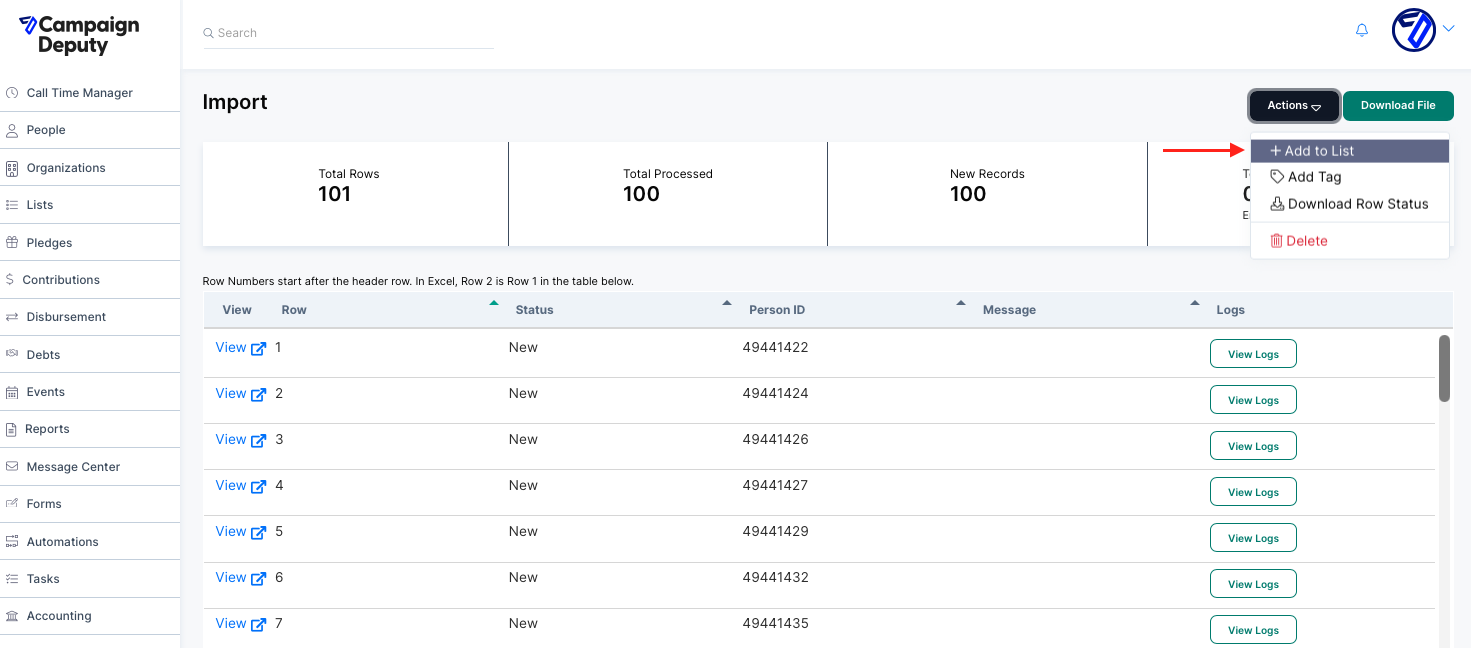
Users can create lists directly from imports immediately upon upload or even from previous imports by selecting People -> Import and importing new records or selecting a previous import.
Lists
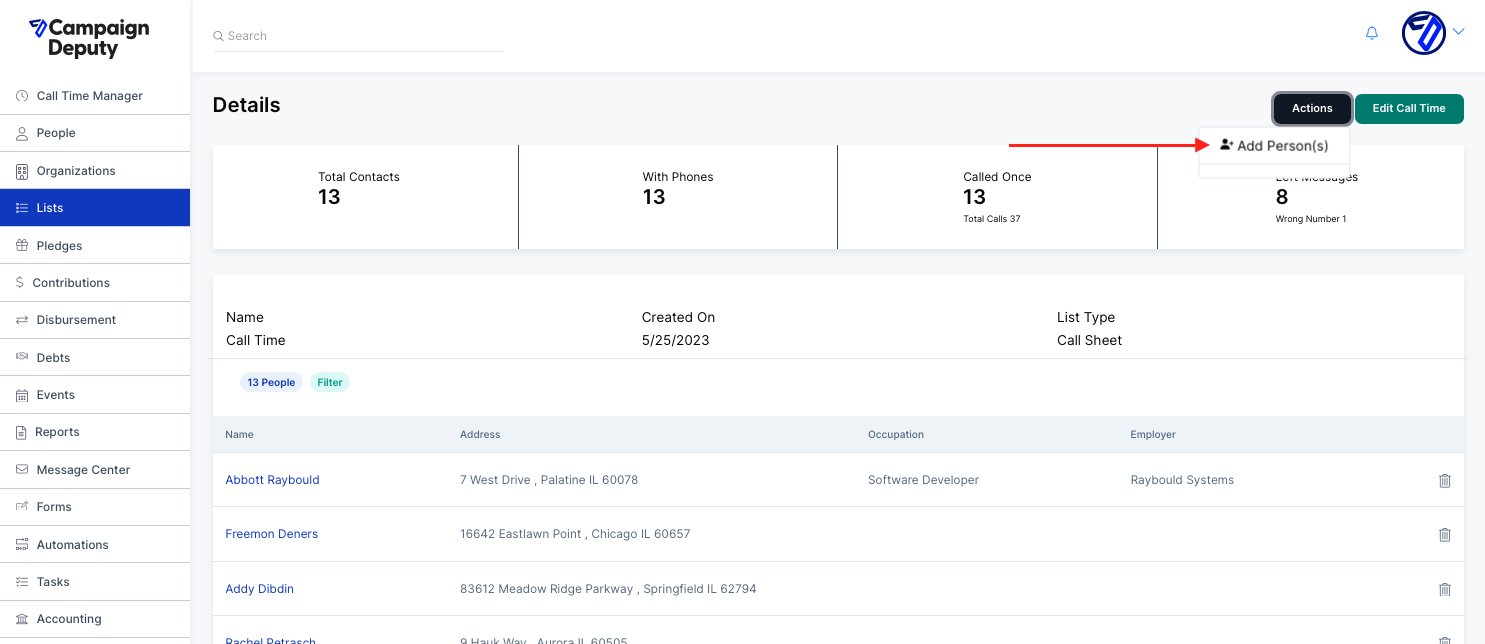
Add Person(s) directly to a list by creating or accessing a list -> Actions -> Add Person(s). This will open a search menu to find and add contacts.
People
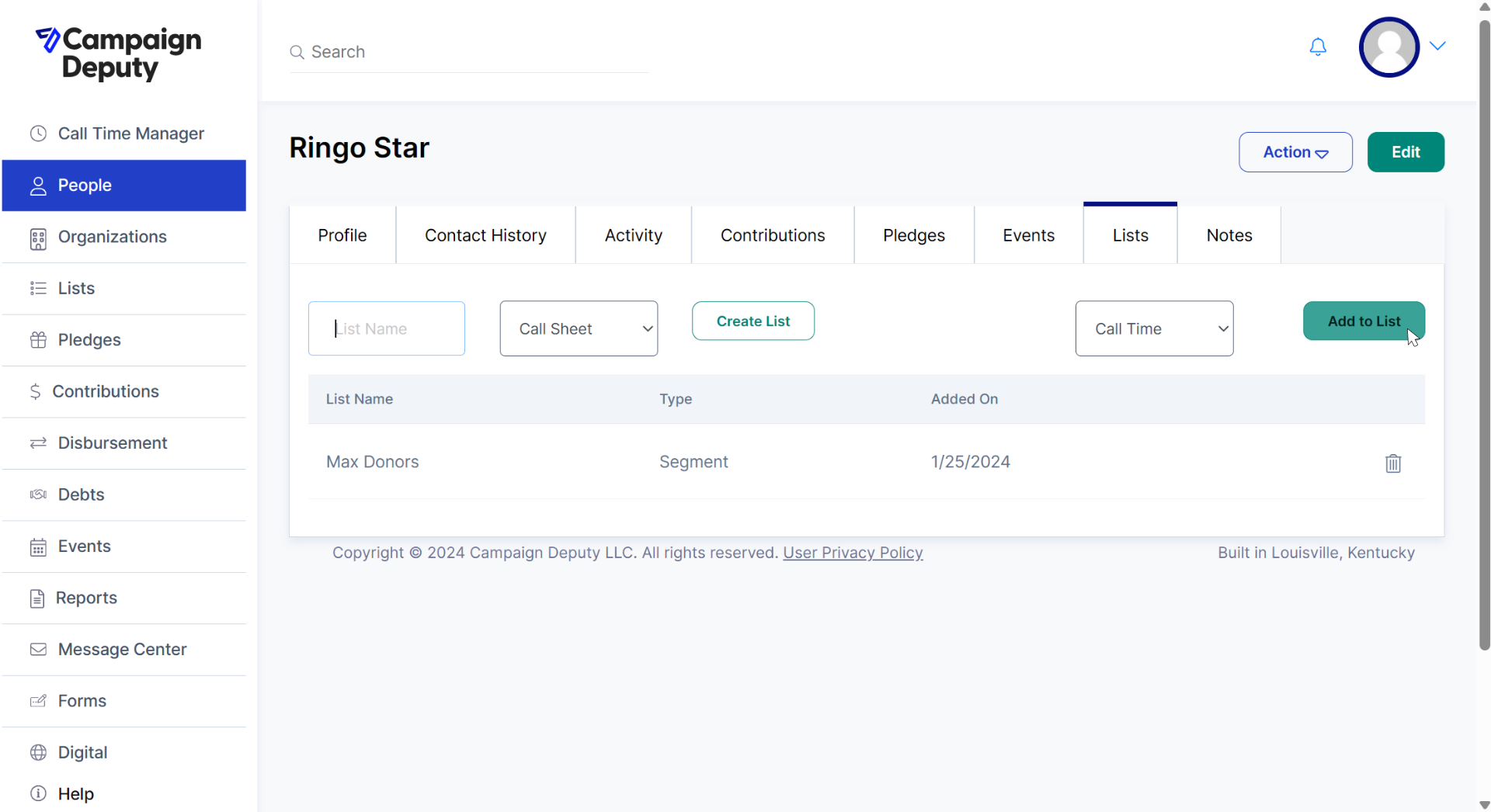
Add a Person to a list(s) directly from their record by accessing the Lists tab, entering a list name, and clicking "Add to List".
Universe Search (Recommended)
Universe Search is the most dynamic method of creating and adding to lists in Campaign Deputy. Simply define your search terms, run your search, and add to or create a list using the Actions dropdown. Click here to learn more about using Universe Search.